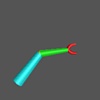
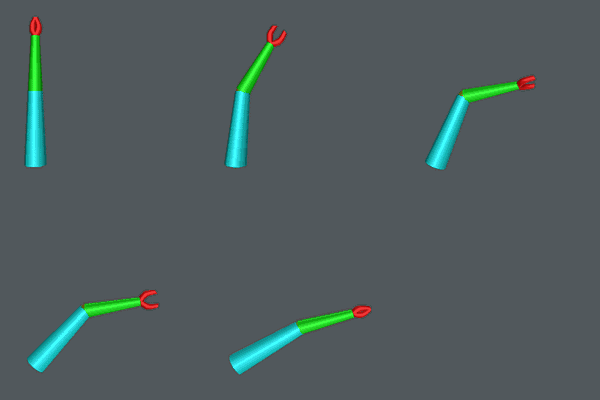
 Hierarchical Objects in StageManager:
The following script creates a robot arm using OOGL's hierarchical
objects and StageManager's Geometry command. The arm is
then manipulated using the Script command to transform
several components of the arm at once. The Geomview files that are
used to create the compound object were generated using the CenterStage
file Arm.cs.
Note the use of -appearance and -transform
flags to modify the positions and styles of the objects. Also, note
the use of the Until and Cue commands to
synchronize the actions between the various scripts.
The files needed for the compound object are:
Arm1.oogl,
Arm2.oogl,
Claw.oogl, and
dodec.off (which is part of the
standard object library for Geomview).
Arm.sm
   Geometry build Arm {
     {Major < Arm1.oogl}
     {Minor {
       { < Arm2.oogl}
       { < dodec.off -transform {Scale .09}
	     -appearance { material {
		  *ambient 1 1 0
		  *diffuse 1 1 0
	     }}
       }
       {Claw {
	 { < Claw.oogl}
	 { < Claw.oogl
	     -transform {Scale {1 -1 1}} }
       } -transform {Translate {0 0 1.5}} }
     } -transform {Translate {0 0 2}} }
   } -appearance {*shading smooth}

   Transform {Translate {-.7 -.7 0}}
   Transform {Scale .4}
   Transform {YZ -$pi/2}
   Transform {XY $pi/2}

   Script for Arm {
     Pause 3
     Until Done Sequence {YZ $pi/3}
   }

   Script for Arm/Minor {
     Until Open Sequence {YZ $pi/3}
     Until Done Sequence {YZ -$pi/4}
   }

   Script group Claw \
     Arm/Minor/Claw/1 Arm/Minor/Claw/2

   Script for Claw {
     Sequence {YZ $pi/6} 8
     Cue Open +4
     Sequence {XY $pi} 8 Arm/Minor/Claw
     Sequence {YZ -$pi/6} 8
     Cue Done
   }

   Pause 3
   Script action
   Pause 3
   Delete World
   Pause 5
![[Prev]](../../../img/prev.gif)
![[Up]](../../../img/up.gif)
![[HOME]](../../../img/home.gif)